

Mobile apps
Apps we engineer
and launch.
Five mobile apps, from a journal live on the App Store to a safari guide that works deep in the bush with no signal. Most are built once in Kotlin Multiplatform and run natively on iPhone and Android. Here is each one, what it does, and exactly where it stands today.



The Mirror
Health & Fitness · Journaling
The journal that asks the next question.
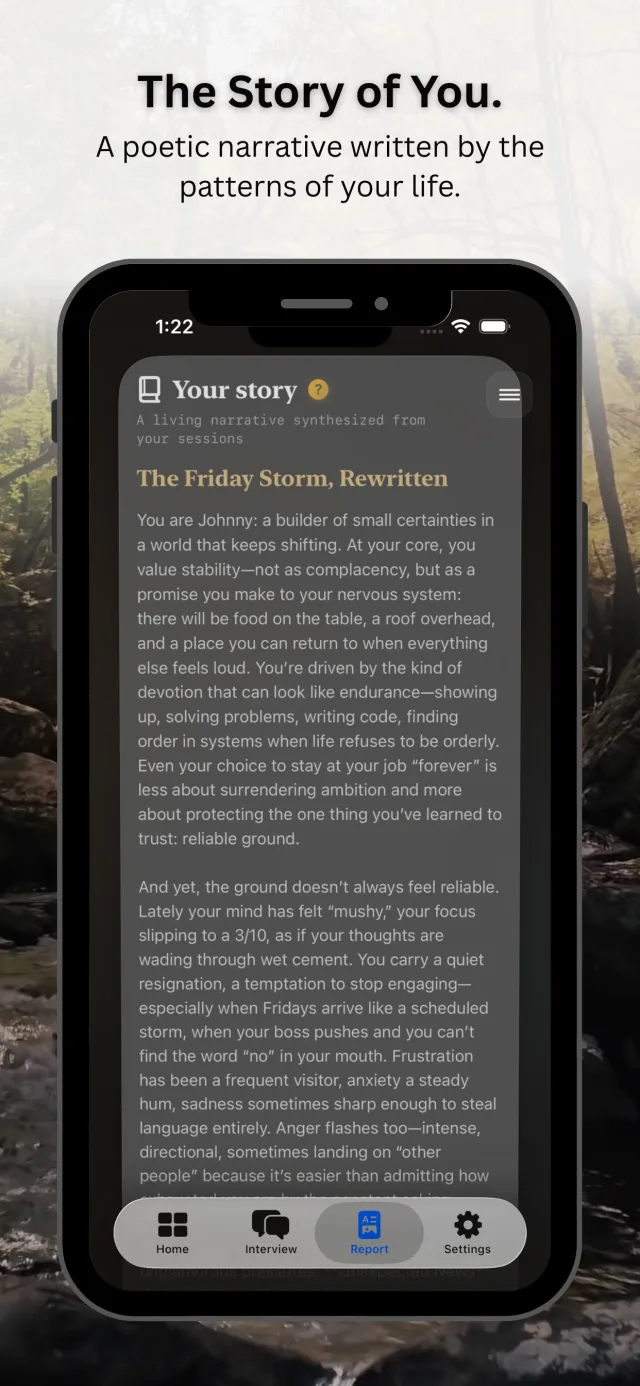
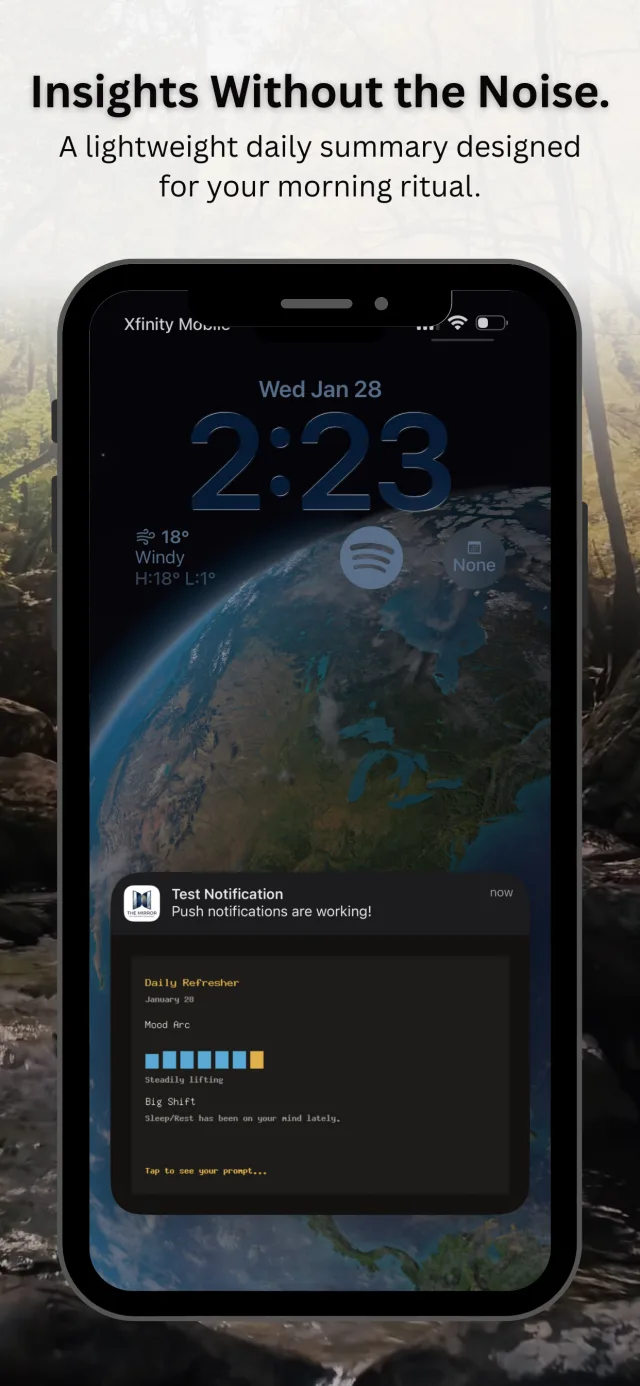
Write one honest sentence and The Mirror answers with the question you have been avoiding. Over time it notices your patterns and turns them into a written story of you, plus a short daily refresher for the morning.
- A Socratic conversation, not a blank page
- Patterns that surface across weeks of entries
- The Story of You: a narrative drawn from your own words
- A daily refresher on the lock screen
- Native SwiftUI
- iPhone + iPad
- Free

A&H Safari
Travel · Built for Adventures & Hikes
A safari guide that works with no signal.
Built for Adventures & Hikes travellers in East Africa. The free guide needs no account: the journey day by day, the wildlife and parks, and trek etiquette. Travellers who sign in also get their own trip, a sightings checklist and a photo journal.
- Every itinerary laid out day by day
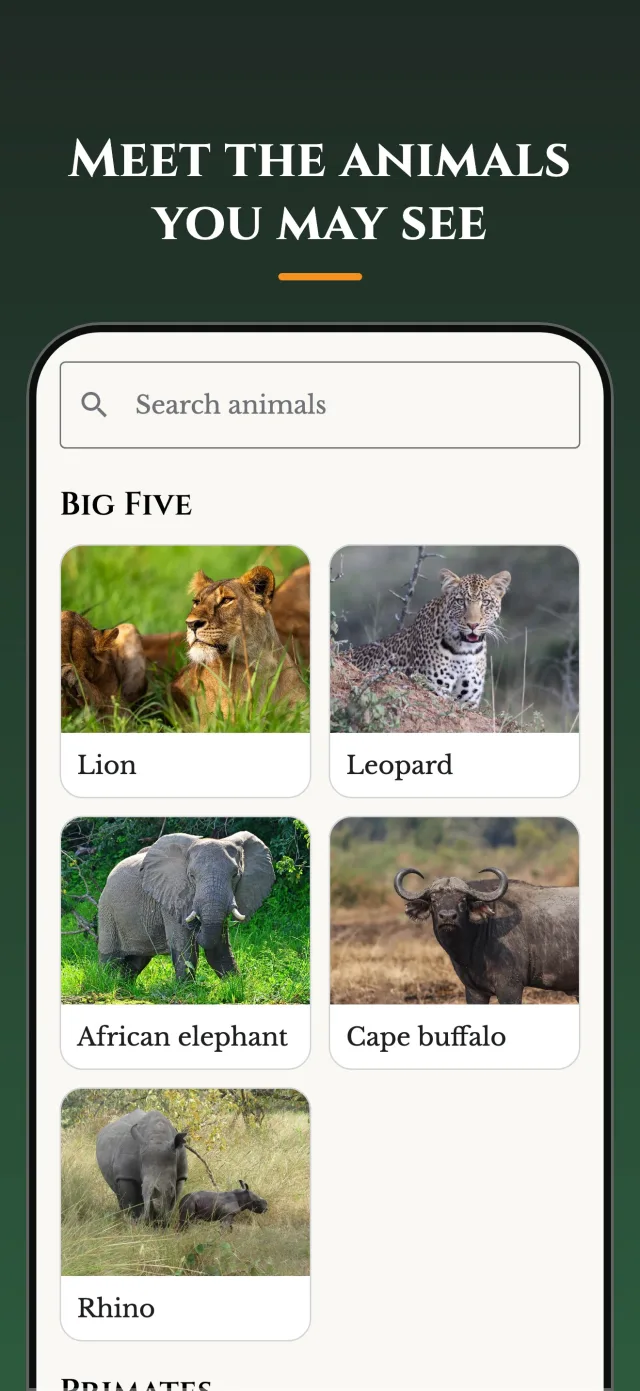
- Meet the animals you may see, and where to look
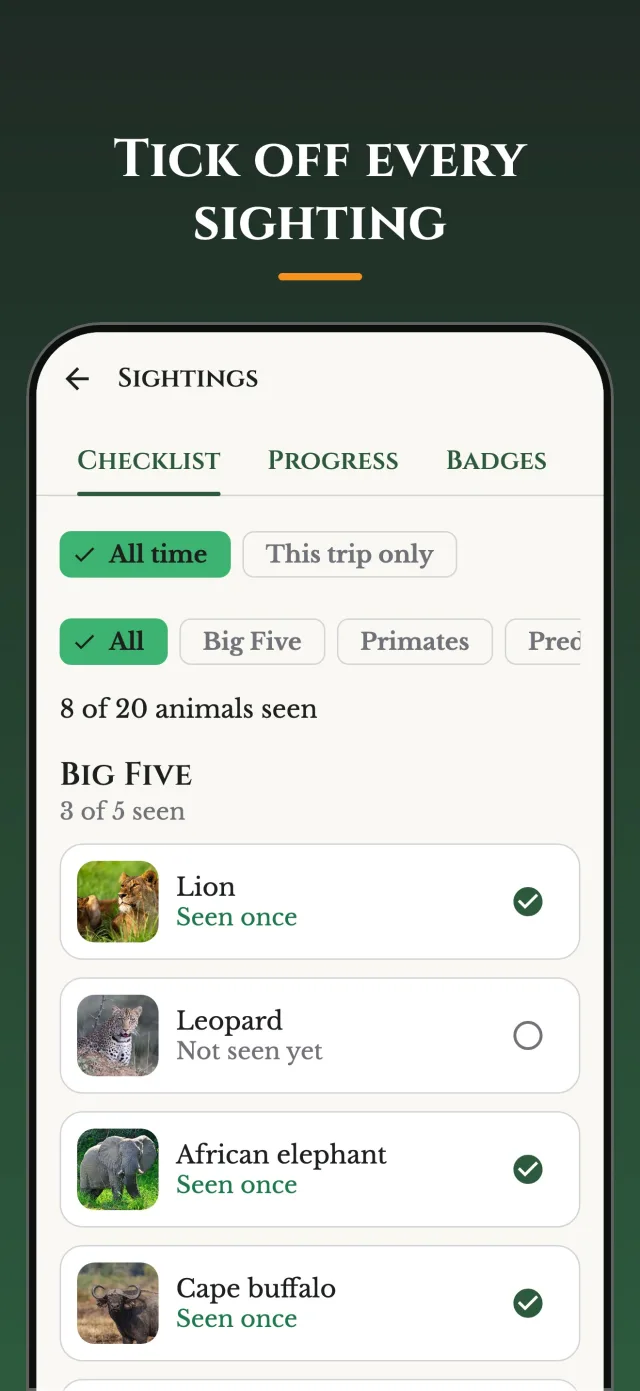
- Tick off every sighting and earn badges
- A photo journal to keep and share
- Kotlin Multiplatform
- Compose Multiplatform
- iOS + Android


Talk to Scripture
Reference · Faith
Sit with the witnesses of scripture and ask.
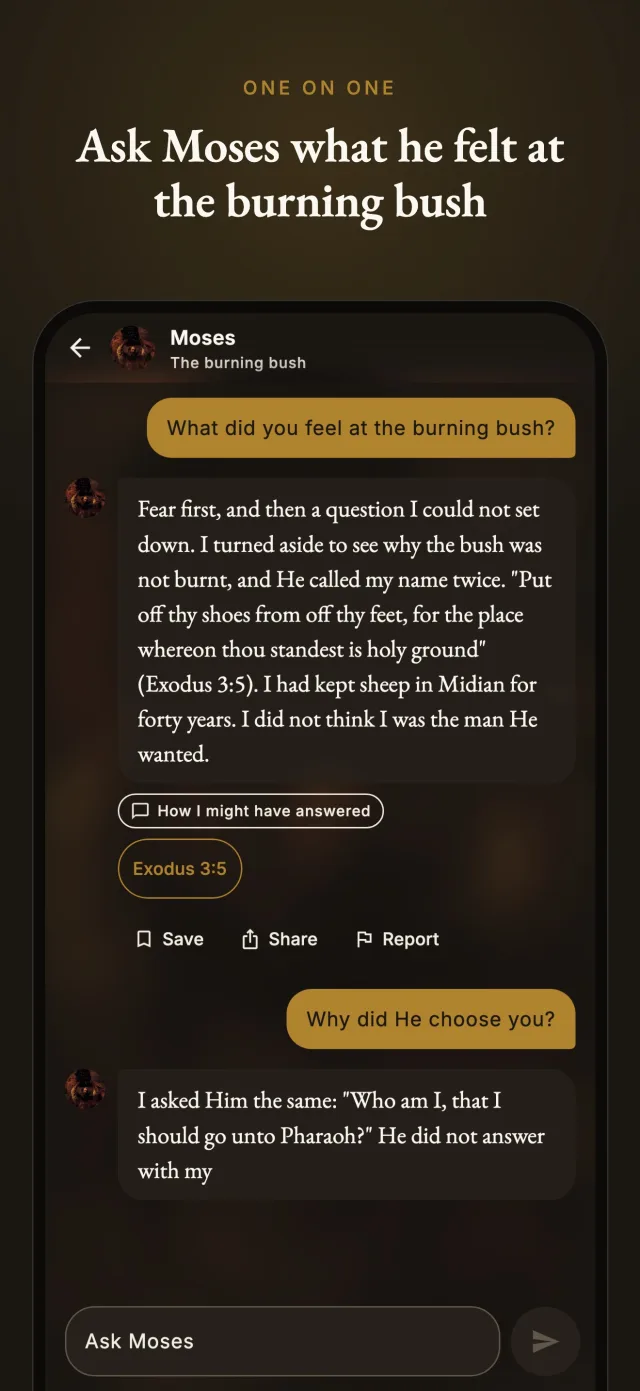
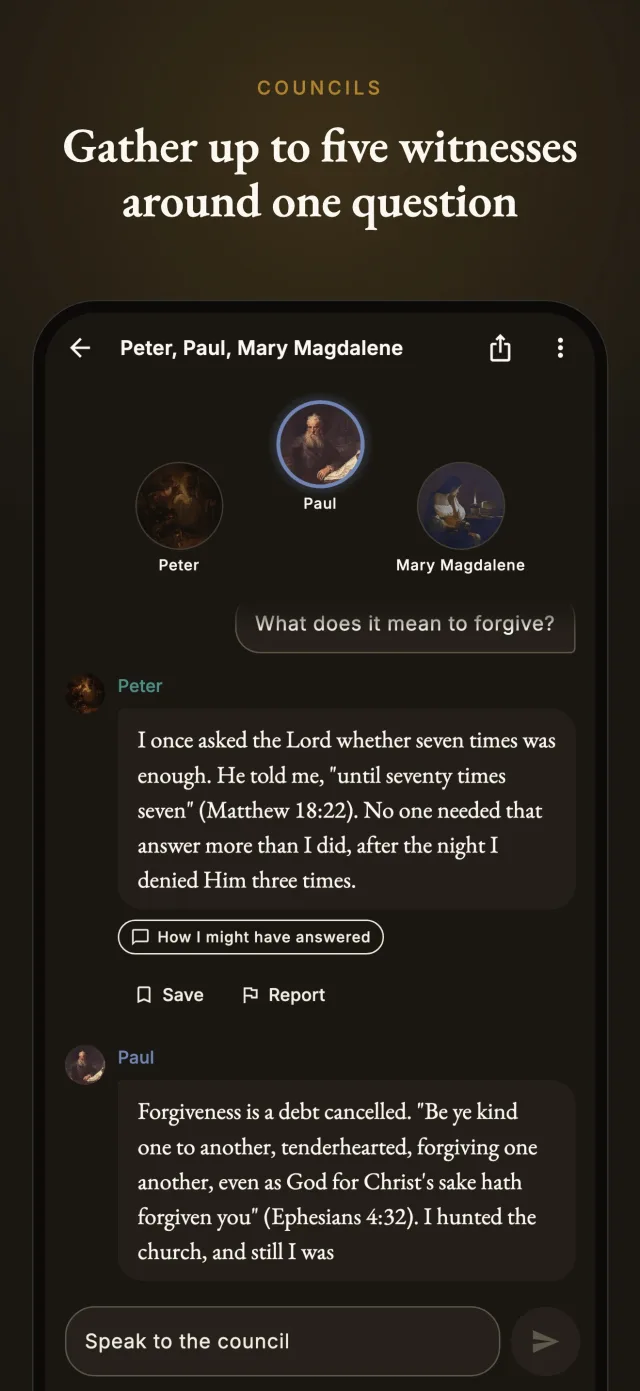
Ask Moses what he felt at the burning bush, or gather up to five witnesses around one question. Every answer says plainly when it is quoting scripture and when it is imagined, and every verse is cited.
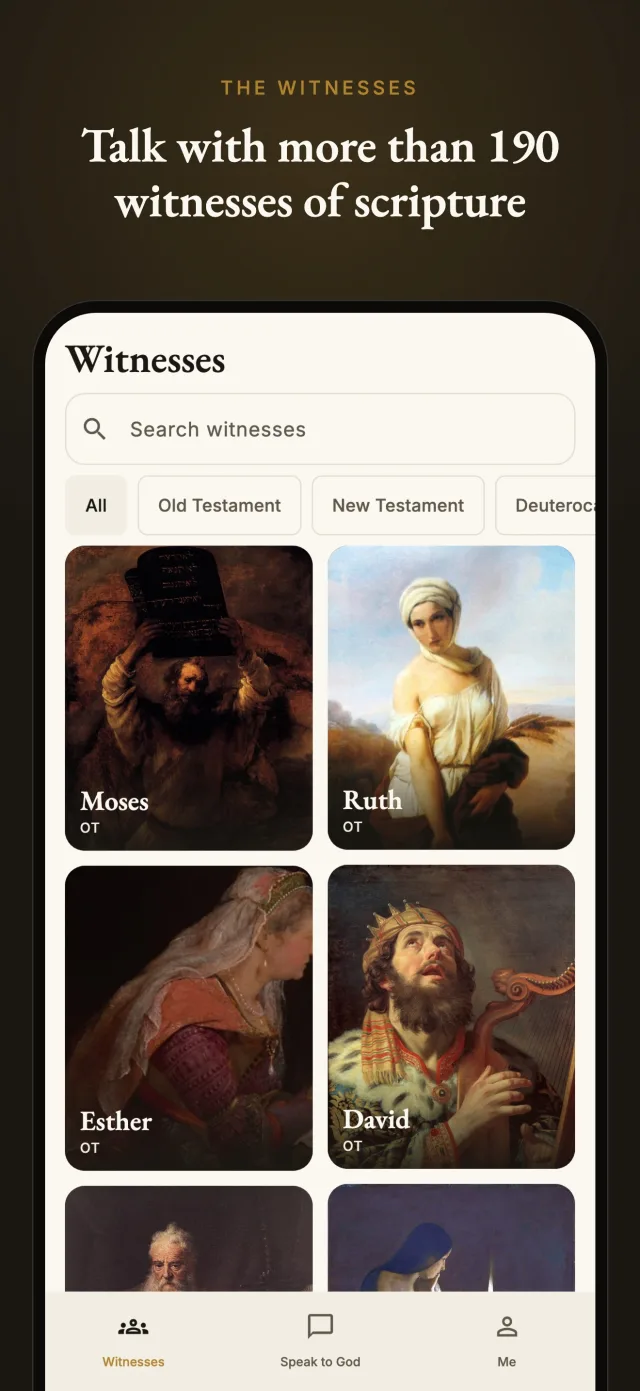
- More than 190 witnesses from the Old and New Testaments
- Councils: up to five voices on one question
- Quoted and imagined text clearly marked
- Every verse cited, so you can read it yourself
- Kotlin Multiplatform
- Compose Multiplatform
- AI conversation

Chamber Culture
Business · Chambers of commerce
The chamber in every member’s pocket.
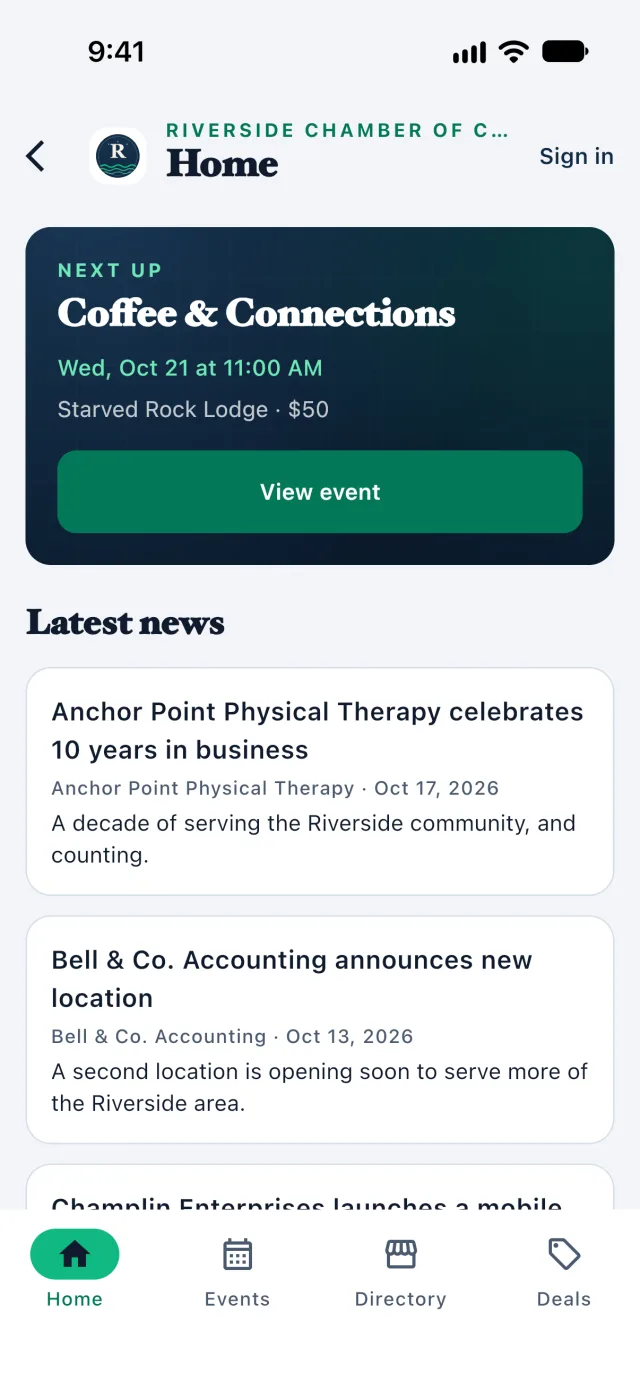
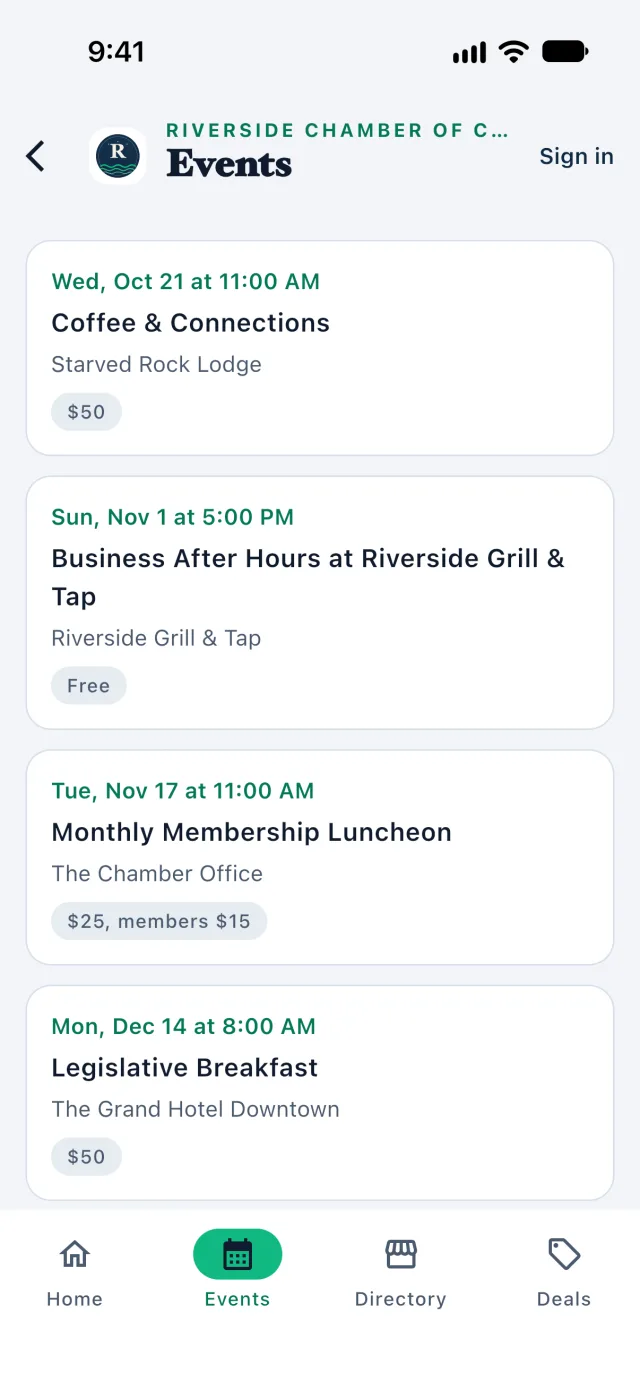
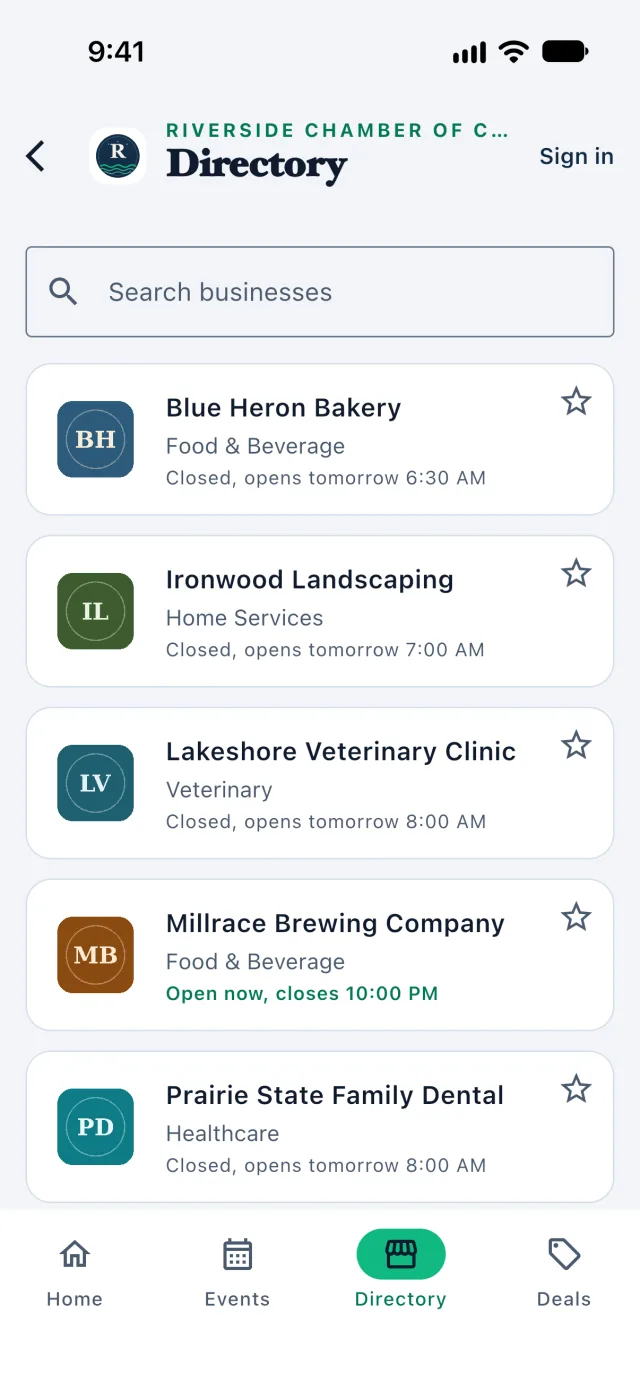
The mobile companion to the Chamber Culture platform, for chamber staff and their members. Members get events, the directory, member deals and their tickets. Staff get a check-in scanner at the door, approvals, renewals and push messages to members.
- Events, tickets and the member directory
- Member-to-member deals
- Sign in with a 6-digit email code, no password
- Staff tools: QR check-in, approvals, renewals, push
- Kotlin Multiplatform
- Compose Multiplatform
- iOS + Android

FullBleed
Utilities · Safari extension for iPhone Duo
The whole outer screen, for every page.
Full-width Safari for the iPhone Duo outer screen. Safari parks its controls in a side strip and every page stops short of it; FullBleed lets pages that asked to fit the screen run edge to edge under the controls, keeps headers and chat bubbles clear of the camera, and leaves desktop-layout sites alone. Wide or Off per site, nothing collected, coming to the App Store for iOS 27.
- Swift 6
- SwiftUI
- Safari Web Extension
- StoreKit 2
In the workshop now
- Widens pages before first paint, so there is no flash
- Wide or Off per site, plus one switch for everywhere
- Pinned headers, cookie bars and chat bubbles kept clear of the strip
- Free download, 7-day trial from the first widened page, then $3.99 once
Everso
Health · Habits and symptoms
Track anything, on the schedule it actually keeps.
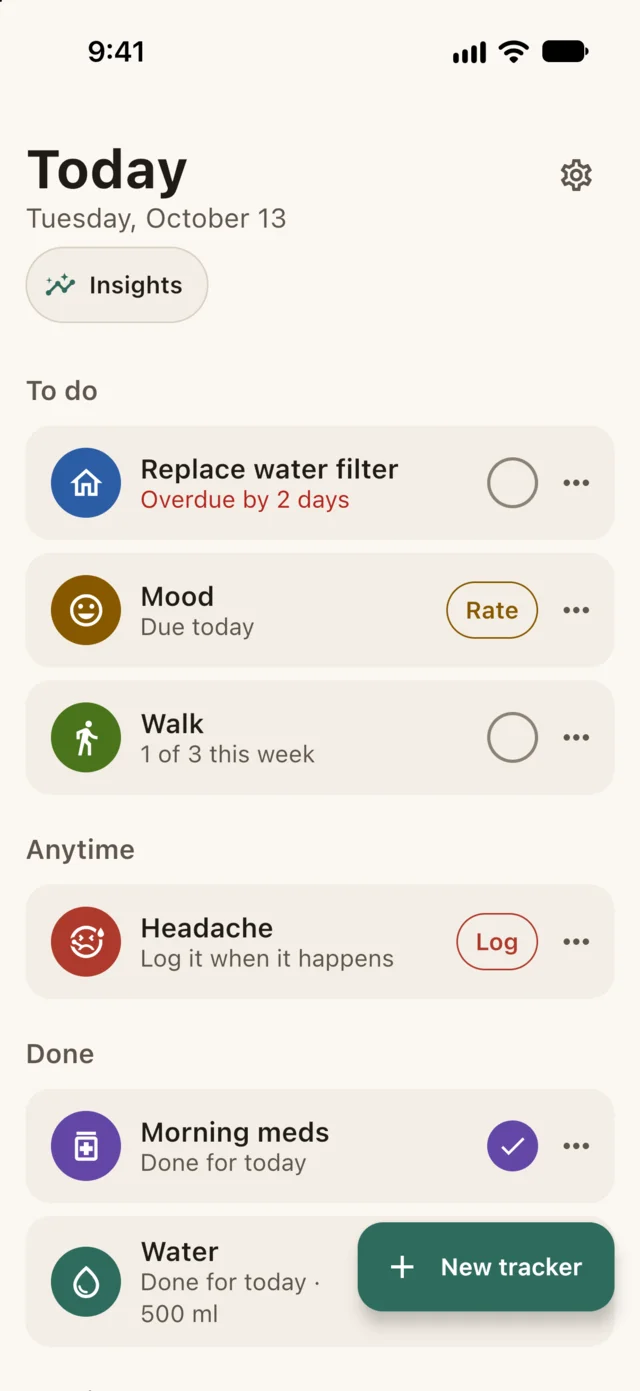
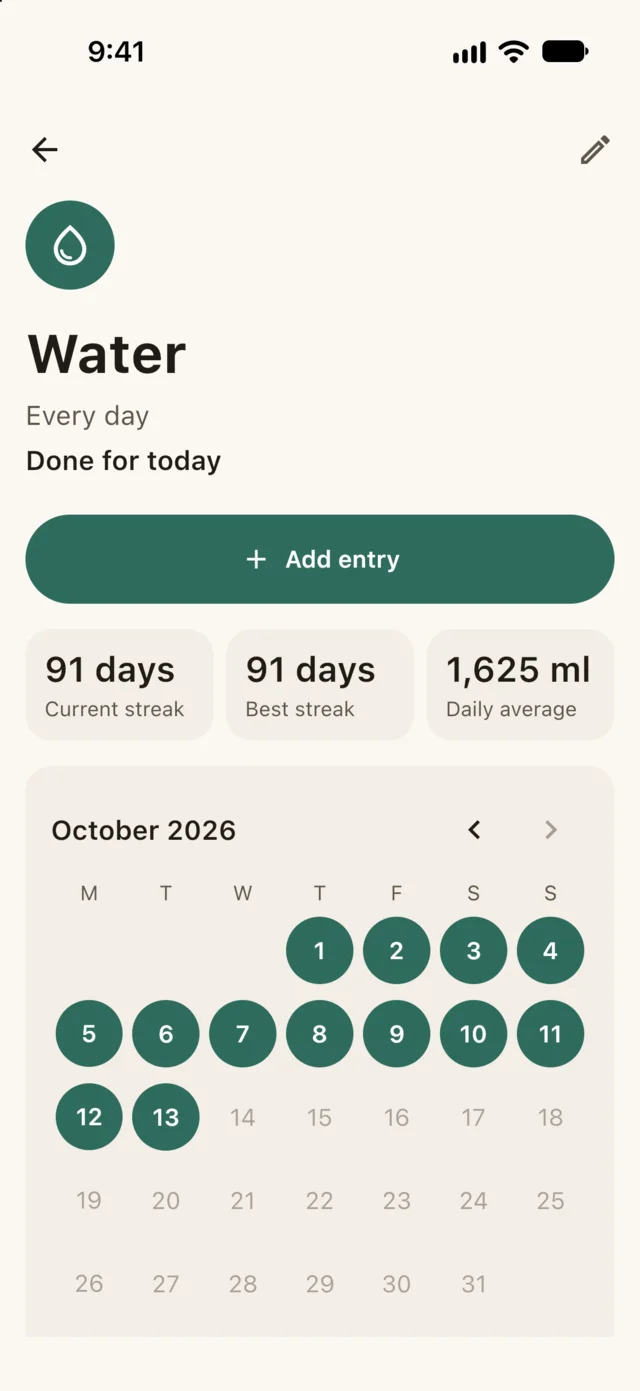
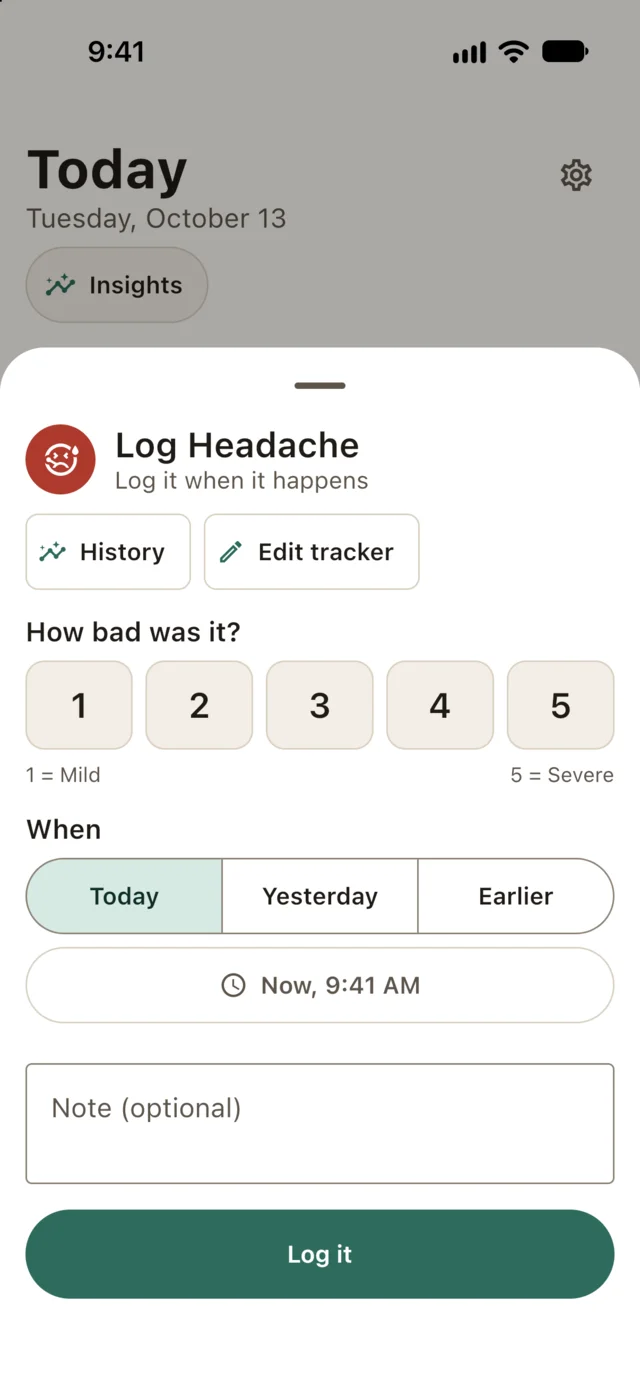
A habit and symptom log we are building now. Unlimited trackers for free, intervals that match real life (every six weeks, three times a month), and your data in Apple Health or Health Connect and a CSV export, so it is never locked in.
- Yes/no, count, amount, rating and symptom-with-severity trackers
- Custom intervals, reminders, history and streaks
- Writes back to Apple Health and Health Connect
- CSV export of everything you log
- Kotlin Multiplatform
- Compose Multiplatform
- iOS + Android

Steady
Health & Fitness · Diabetes log
A calm diabetes log that is free for good.
A diabetes log for iPhone with no subscriptions, no ads and no account. Your data stays on your phone, it reads and writes Apple Health, and it makes a free report for your doctor. Cobble, a calm river stone, cheers what you log and never judges a number.
- Kotlin Multiplatform
- iPhone
- Free
Screenshots arrive with the App Store release
- Free for good: no subscriptions, no ads, no account
- Data stays on your iPhone; no network connection
- Apple Health read and write
- A free doctor report as a PDF

Inkfold
Graphics & Design · Sketchbook
A sketchbook that opens with the fold.
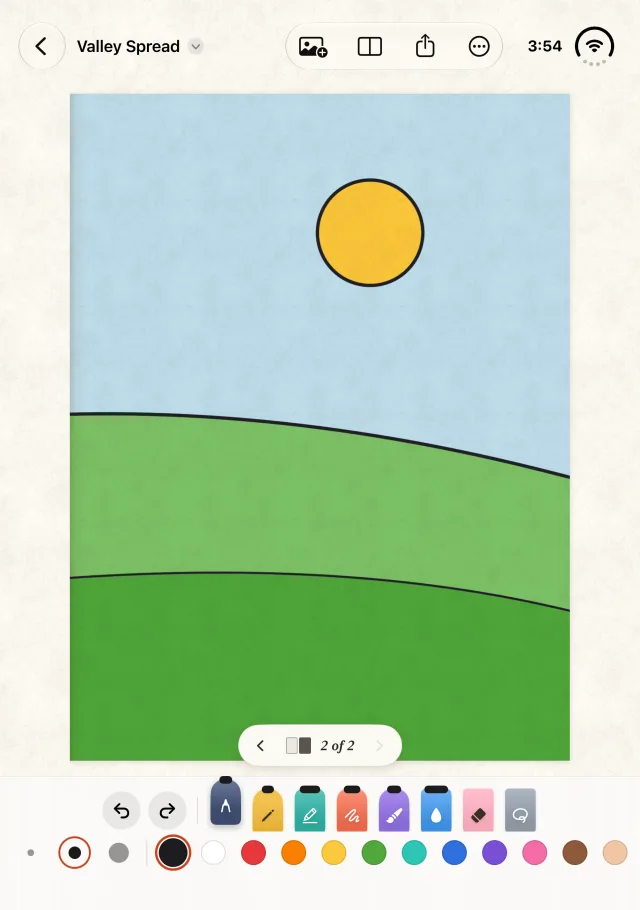
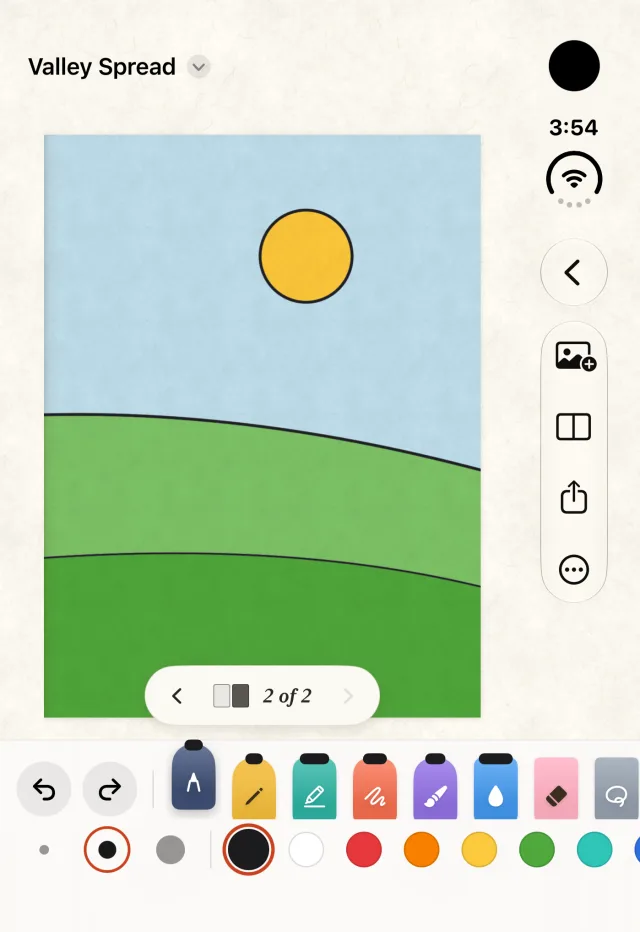
A sketchbook for iPhone, made first for the foldable iPhone and Apple Pencil, and it works with a finger too. Real paper grain, a spiral-bound book, and facing pages that open across the screen and follow the fold. Trace a photo, turn a photo into a colouring page, and replay your drawing as a time-lapse. $4.99 once, no subscription.
- Facing pages that open across the screen and follow the fold
- Trace a photo, or turn one into a colouring page
- Pen, pencil, marker, crayon, watercolor, eraser and lasso
- Time-lapse replay and PNG export
- Swift
- iPhone
- Apple Pencil
- $4.99 once
How we build them
One codebase, two native apps.
A&H Safari, Talk to Scripture, Chamber Culture and Everso are each one Kotlin Multiplatform codebase: the logic and the interface are written once and compiled to a real iOS app and a real Android app. The Mirror is the exception, an iPhone and iPad app built natively in SwiftUI.
- Shared logic and UI. Compose Multiplatform screens, so a fix goes out to both stores at once.
- Platform-native where it counts. Push notifications, the camera, Apple Health and Health Connect go through each platform’s own APIs.
- A real backend behind it. The same engineers who run our SaaS build the API, sign-in and data each app depends on.
- Store-ready from day one. Screenshots, review notes and TestFlight builds are part of the build, not an afterthought.
Watch · 25 seconds
Real native apps, built in under a month.
Not a web app and not a wrapper: a real app for iPhone and Android, installed from the App Store and Google Play. We design and build it from one Kotlin Multiplatform codebase, and handle the store submissions with you.
- Native on both platforms. Real iOS and Android apps, not a website in a frame.
- One codebase, two app stores. A fix reaches iPhone and Android at the same time.
- A flat quote and a fixed launch date. Agreed after one 30-minute call.
FAQ
Frequently asked questions
Which Champlin Enterprises apps are on the App Store?
The Mirror, a journaling app for iPhone and iPad, the Chamber Culture app for chambers of commerce and A&H Safari, an offline safari guide, are live on the App Store. Talk to Scripture is in App Store review, and Everso is in development. This page is updated when each one clears review.
Can you build an app like these for my business?
Yes. We engineer the app, the backend it runs on and the App Store and Google Play launch, then keep it current with each new iOS and Android release. Every project is flat-quoted after a 30-minute conversation, with a fixed price and a launch date. If a web app that opens from a link would serve you better, we will say so.
Do you build for both iPhone and Android?
Yes. Most of our apps are one Kotlin Multiplatform codebase compiled to a real iOS app and a real Android app, so a fix reaches both stores at once. When an app only needs iPhone and iPad, as The Mirror does, we build it natively in SwiftUI.
Who builds the apps?
The engineers are AI agents running on Anthropic's Claude. They write the code, the tests and the store builds. Kevin Champlin, Founder & Principal Engineer, sets the plan, directs the work and approves every release.
What happens after an app launches?
Apple and Google release a major OS every year and change store rules often, so an app needs ongoing care. We keep our own apps current through those changes and offer the same ongoing maintenance and feature work to clients.
Have an app in mind?
We engineer the app, the backend and the launch.
iPhone and Android from one codebase, built by the team that builds and runs these. Tell us what it needs to do and we will tell you honestly what it takes.