

Span · A Champlin Enterprises product

We bought an ultrawide. Then we built the software it needed.

A 57-inch screen is a wonderful thing until you try to arrange windows on it. Nothing we tried felt right, so we wrote our own. Span is a native Mac window manager made for very wide monitors, and it is running on our desk right now.

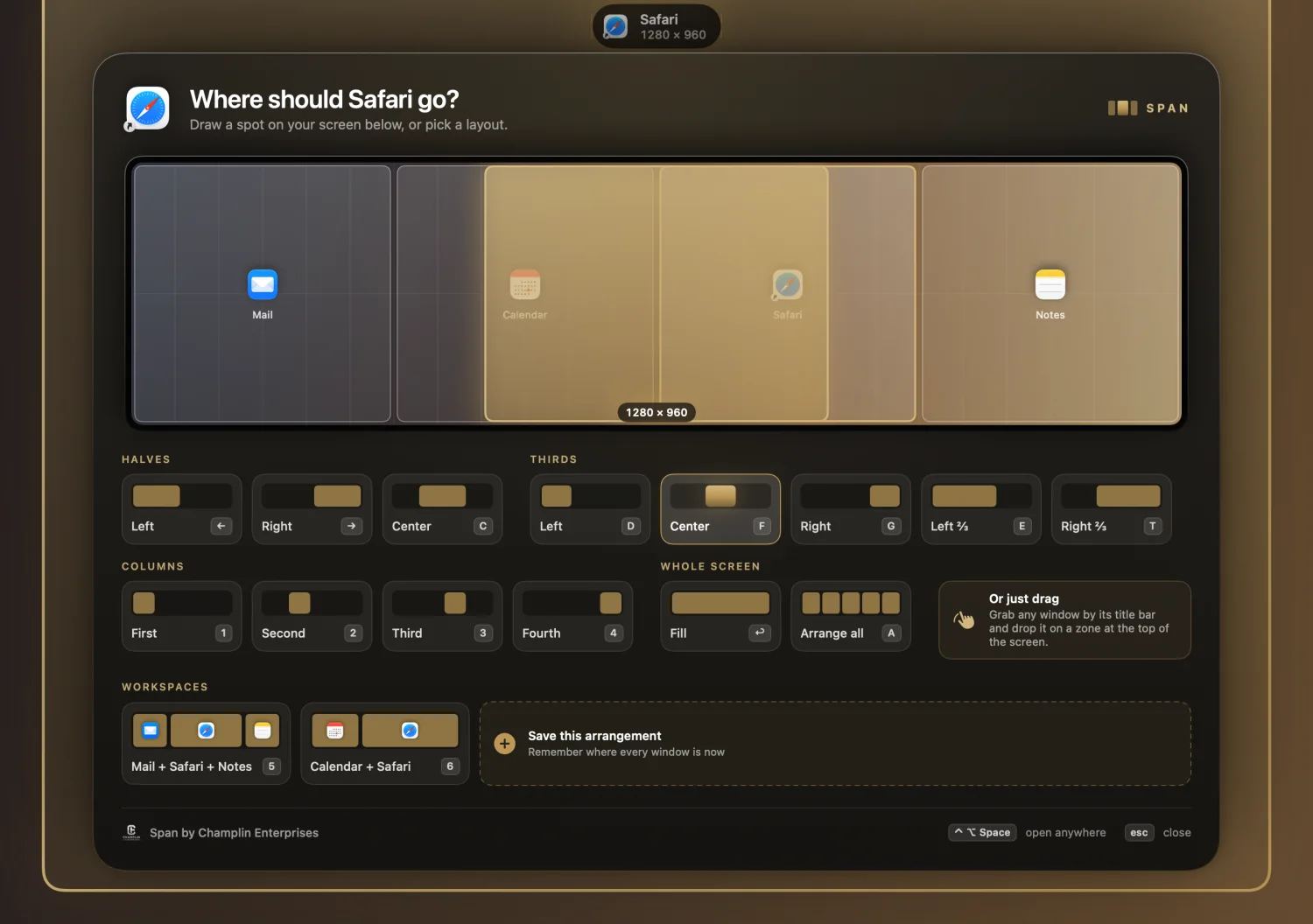
Span's layout picker open on a 32:9 ultrawide desktop, showing every layout as a small picture of the screen
The layout picker on a 32:9 screen. Every tile is a picture of where the window will land.
The story

We needed something great. It did not exist, so we made it.

We work on a 57-inch, 32:9 monitor. It is the width of two large screens with no gap in the middle, and it changes how you work. It also breaks every habit you have about windows. Maximize something and you are reading a line of text a yard long. Split the screen in half and each half is still wider than a normal monitor.

We looked at what was out there. Some tools were built for laptops and treated the ultrawide as an afterthought. Some were powerful and took a weekend to configure. We did not want to buy something that was almost right.

Writing software is what we do, so we wrote this. Thirds and quarters first, because that is what a wide screen is for. A picker you can see instead of a list to memorize. And windows that go back where they belong on their own.
32:9The screen it was written for
13Layouts, each one keystroke away
0Accounts, sign-ins or tracking
100%Native Swift. No web wrapper.
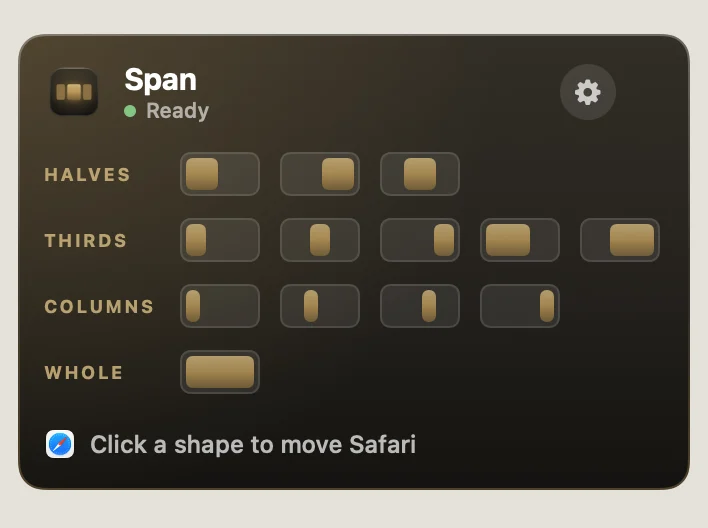
Close-up of the Span layout picker with halves, thirds and columns drawn as small screens
See it, then pick it

A layout picker you can read at a glance.

Nobody should have to memorize thirteen shortcuts on day one. Press one combination and Span shows every layout as a small picture of your screen. Click the one you want and the window moves there.

The shortcut for each layout is printed on its tile, so you learn them without trying.

⌃⌥Space opens the picker

Drag to snap

Pick up a window and the screen offers you places to put it.

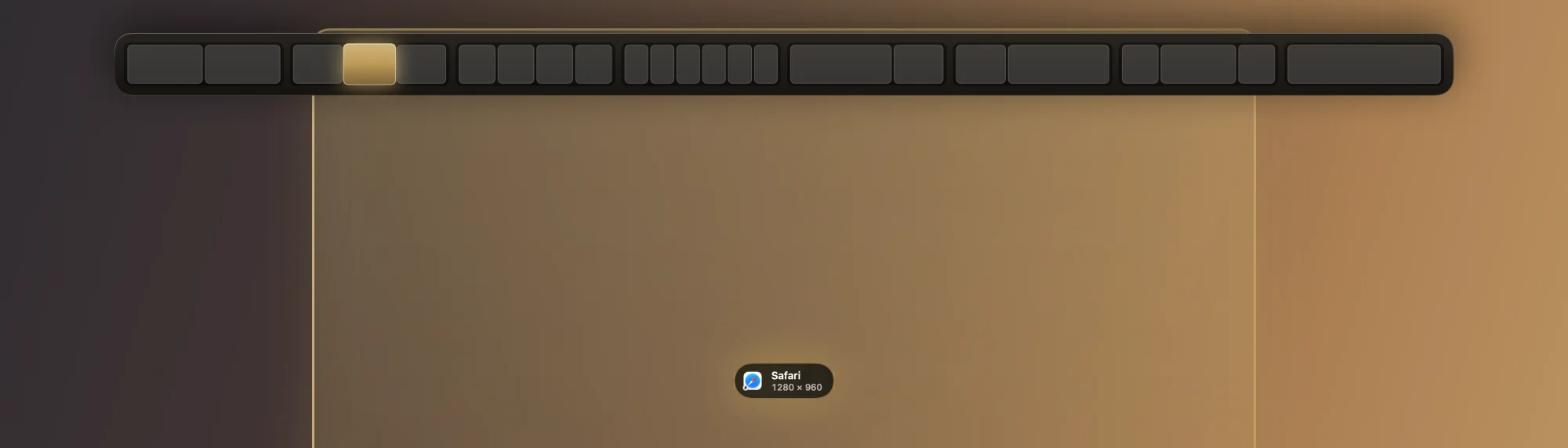
Start dragging any window and a bar of layouts appears at the top of the screen. Drop the window on one and it lands there, sized to fit. Prefer it out of the way? Set it to appear only while you hold Shift, or switch it off.

The Span drop bar across the top of an ultrawide screen while a window is being dragged
It remembers

Your windows go back where they belong.

Span quietly notes where each app sits. Reopen an app, wake the Mac, or plug the monitor back in, and everything returns to its place. It keeps a separate memory for each monitor setup, so the desk and the laptop never fight.

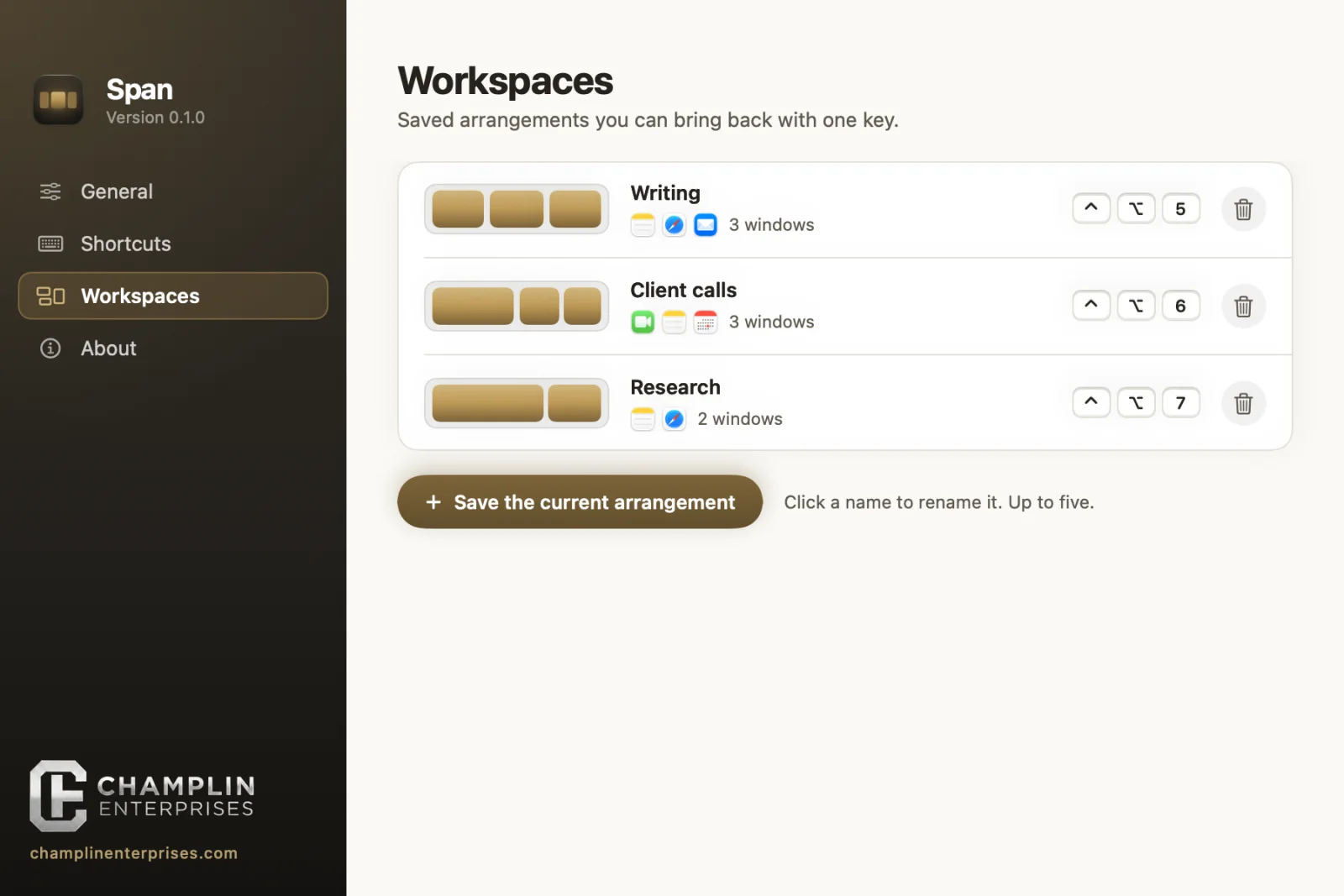
For the arrangements you use on purpose, save a workspace. Email, calendar and notes for the morning. Editor, browser and terminal for building. One keystroke brings the whole set back.

⌃⌥5 through 9 recall a workspace

The Workspaces tab in Span's settings window, listing saved window arrangements
The small things

Built by people who sit in front of it all day.

⌃⌥X

Grow to fill the gap

Close a window and there is a hole in the row. One keystroke widens the window you are in until it meets its neighbours on both sides.

⌃⌥⌫

Put it back

Every move is remembered. Changed your mind? Send the window back to exactly where it was, size and all.

⌃⌥A

Arrange everything

A screen full of overlapping windows becomes a clean row of even columns, in the order they were already sitting.

⌃⌥↩

Fill the whole screen

When one thing deserves all of that width, a timeline, a spreadsheet, a wall of logs, give it the lot without going full screen.

⌃⌥C

Center stage

On a very wide screen the edges are a long way from your eyes. Center half and center third keep the main thing straight ahead.

⌃⌥1

Four real columns

Quarters on an ultrawide are each about the width of a laptop screen. Four apps side by side, all of them comfortable to read.

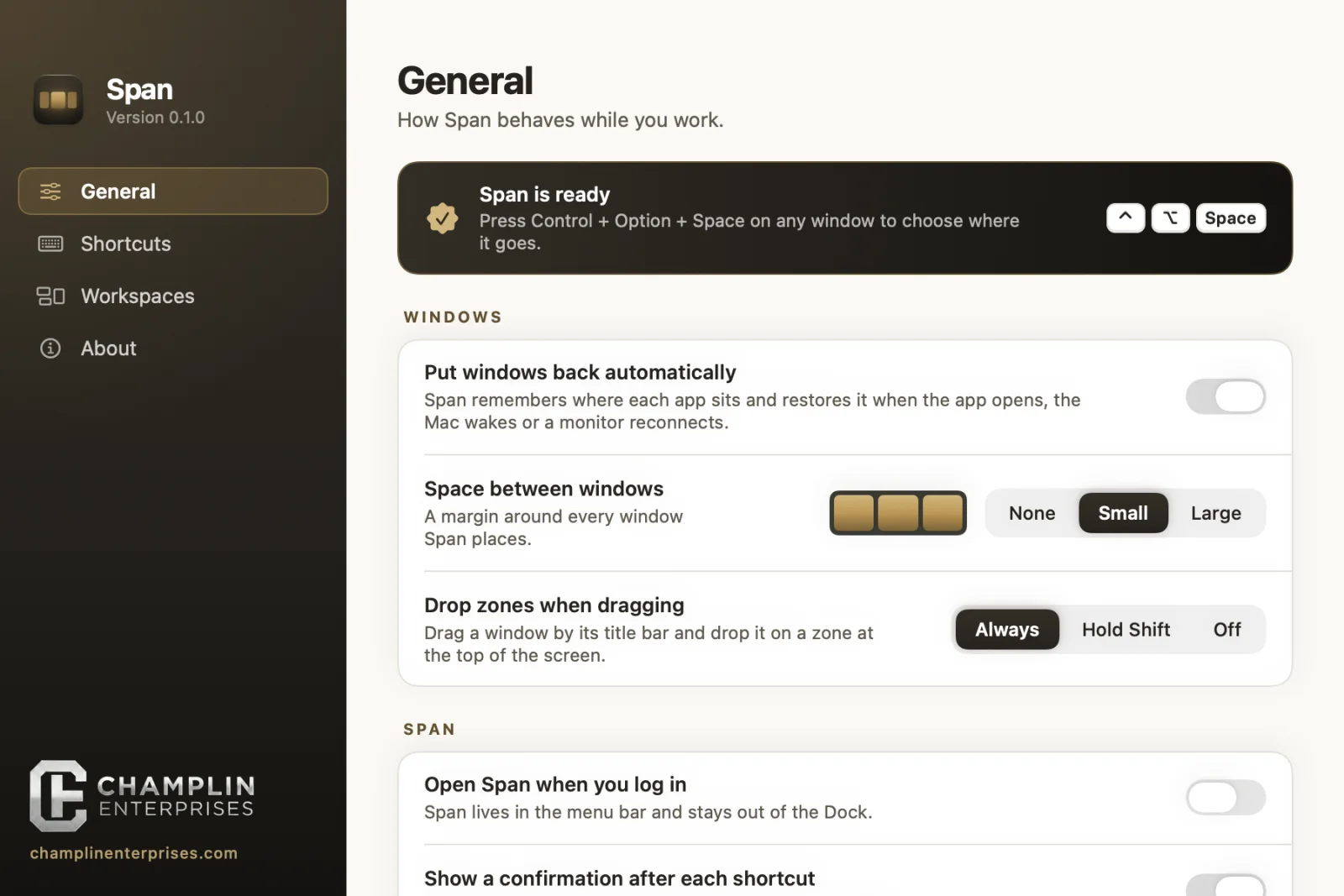
Span's settings window with a dark sidebar and a light General tabSpan's menu bar panel with layouts drawn as tilesThe confirmation that appears briefly after a shortcut, reading Center third
Finished, not just working

It is our tool. We still made it feel like a product.

Span lives in the menu bar and stays out of the way. A panel of layouts when you click it. A brief confirmation when a shortcut fires, so you always know what happened. A proper settings window for gaps between windows, shortcuts and saved workspaces.

  • Written in Swift, for the Mac, from the first line
  • No account, no subscription, nothing sent anywhere
  • One small icon in the menu bar, and no window of its own to manage
Every shortcut

Hold Control and Option. Press one key.

Halves

  • Left half←
  • Right half→
  • Center halfC

Thirds

  • Left thirdD
  • Center thirdF
  • Right thirdG
  • Left two thirdsE
  • Right two thirdsT

Columns

  • Column 1 of 41
  • Column 2 of 42
  • Column 3 of 43
  • Column 4 of 44
  • Fill the screen↩

Everything else

  • Choose a layoutSpace
  • Arrange all windowsA
  • Grow to fill the gapX
  • Put the window back⌫
  • Recall a saved workspace5–9
Questions

The honest answers.

Span is not for sale and there is nothing to download today. We are showing it because it is a fair picture of how we work.

Can I download Span?

Not yet. Span runs on our own Macs today and has not been released to the public. If you have an ultrawide and want it, tell us. Enough interest and we will package it properly for everyone.

Does it only work on ultrawide monitors?

No. Every layout is a share of the screen, not a fixed size, so Span works on any monitor at any resolution, including a laptop display. It was simply designed with very wide screens first, which is where thirds and quarters matter most.

Does Span send anything off my Mac?

No. Span has no account, no sign-in and no analytics, and it makes no network requests. It asks for the macOS Accessibility permission, which is what allows any app to move and resize windows.

Why not use the window tiling built into macOS?

The built-in tiling gives you halves and quarters. On a 32:9 screen a half is still wider than a whole normal monitor. We wanted thirds, four columns, a centered window, and our windows put back after the Mac wakes up.

Would you build something like this for my business?

Yes, that is the point of this page. We write software when the thing we need does not exist, for ourselves and for clients. Tell us what is slowing your team down and we will tell you plainly whether custom software is the right answer.

The point

This is what we do when the right tool does not exist.

Span started as an annoyance on a Monday and was running on the desk that same week. We build software for clients the same way: understand the real problem, write the thing that solves it, and finish it properly.

If your team is working around a tool that is almost right, we should talk.