In 2011 we signed up for Harvest to track our time and send our invoices. It cost $12 a month, it did its job, and we happily paid that bill for fifteen years. This summer the bill arrived at $138 a month. Same product. Same features we were using in 2012. Eleven and a half times the price.
So we dropped it.
Not out of spite. Out of math. We are a software company. The moment a vendor’s renewal email costs more than a weekend of engineering, the build-versus-buy question answers itself. We built our own time tracking and invoicing platform, moved fifteen years of history into it, and now we run every billable hour and every invoice at Champlin Enterprises through it.
It’s called FlatHours, and it’s not just ours anymore. Anyone who tracks time, sends invoices, and wants to get paid can use it today.
What happened to Harvest?
Harvest was genuinely great software for a long time, and it deserves credit for that. What changed wasn’t the product. In July 2025 Harvest was acquired by Bending Spoons, a private equity style operator known for buying beloved tools and aggressively repricing them. The subscription we’d held since 2011 didn’t survive the new pricing model. We wrote up the full story on why Harvest got expensive if you want the details and dates.
A price increase is a vendor’s right. But a 10x price increase on a product you’ve used for fifteen years is something else: it’s a bet that switching costs will keep you paying. For most customers that bet works, because their history is locked inside. For us it didn’t, because we ship software for a living.
So we shipped our own
FlatHours is the tool we wished we were renewing: a fast, focused platform for tracking time, invoicing clients, and taking payments. No bloat, no upsell maze, and one pricing rule we consider a product feature: nothing is metered, on any plan, ever. No per-seat creep, no invoice caps, no “you’ve reached your project limit” emails. That is the exact thing that pushed us out of Harvest, so it’s the one thing FlatHours will never do.
Track time and watch it earn
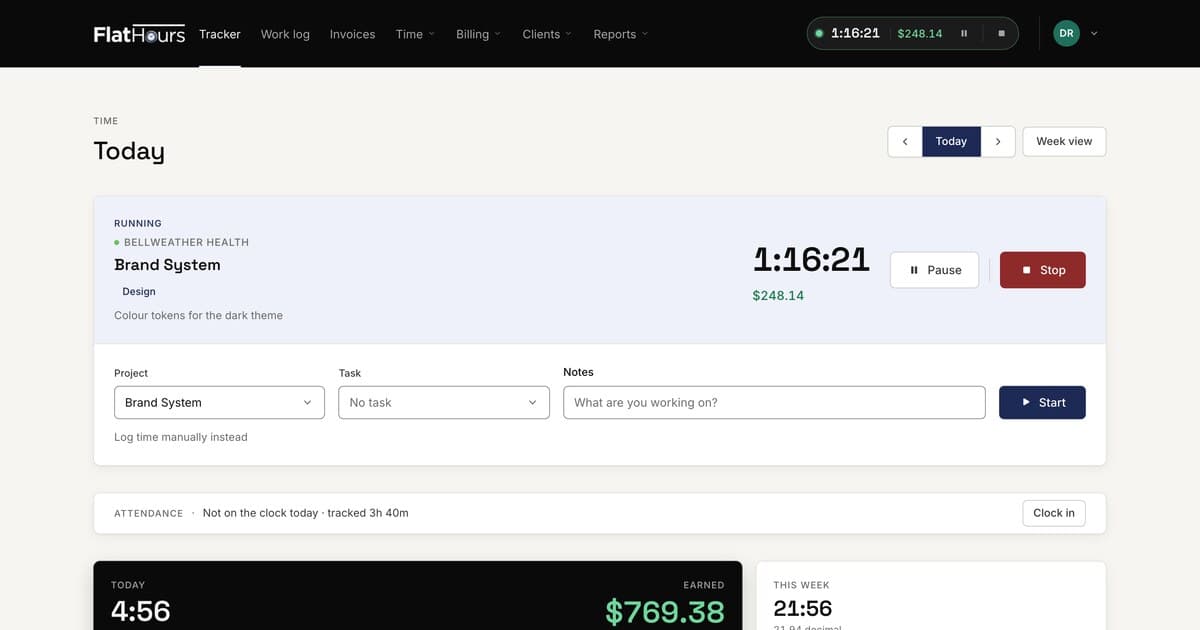
Start a timer on any project and FlatHours shows the money accumulating in real time, right in the navigation bar. Billable and non-billable hours stay separated, and there’s a simple clock-in attendance view so you always know tracked time versus time on the clock.

Prefer a spreadsheet view? The weekly timesheet lays every project out across the week with billable totals and earnings up top.

Invoices that chase themselves
Tracked time turns into invoices in a couple of clicks. The invoices dashboard shows exactly what’s open, what’s overdue, and what’s been paid this year, and every invoice moves through a clear pipeline: draft, sent, viewed, paid. You can see when a client has opened an invoice, and overdue ones are flagged with reminders ready to send. Recurring invoices and estimates are built in.


Get paid online
Clients get a clean portal link where they can view the invoice, download the PDF, and pay by card online. No account required on their end, no friction between “invoice sent” and “money received.”
Reports that answer the real question
Where did the hours go? The reports view groups tracked time by project, client, or person for any date range, splits billable from non-billable, and totals the value. One click exports the same numbers to CSV for your accountant.

We moved fifteen years in an afternoon
The part that usually keeps people locked into an old tool is the history. FlatHours has a built-in Harvest import that brings over your clients, contacts, projects, invoices, and time entries directly from the Harvest API. We used it on ourselves first: more than a thousand invoices and over two hundred clients dating back to 2011 came across intact. That import is included on the free plan, because your own history shouldn’t be a ransom.
Flat pricing, on purpose
The name is the pricing model. FlatHours plans are flat, full stop:
- Free: one seat, unlimited projects, clients, and invoices, plus the full Harvest import. $0, forever.
- Solo: $5 a month adds online payments, recurring invoices, accounting export, and API access.
- Team: $29 a month flat for your whole team. Unlimited people. Hire your tenth person or your fiftieth and the bill does not move.
We priced it against our own scar tissue. Per-seat pricing means your software bill grows every time your company does. A flat $29 means it doesn’t.
The tool we use is the tool we sell
Every invoice Champlin Enterprises has sent since we dropped Harvest went out through FlatHours. Every billable hour we track lands in it daily. When something annoys us, we fix it, because it annoys us before it ever annoys you. That is the quiet advantage of software run by people who depend on it themselves.
You can try the whole thing right now without creating an account: the live demo drops you into a working company with a running timer, real-looking invoices, and reports, no signup and no sales call. If you’re a Harvest customer staring at your own renewal email, the import is waiting.
Fifteen years was a good run. The next fifteen are ours.