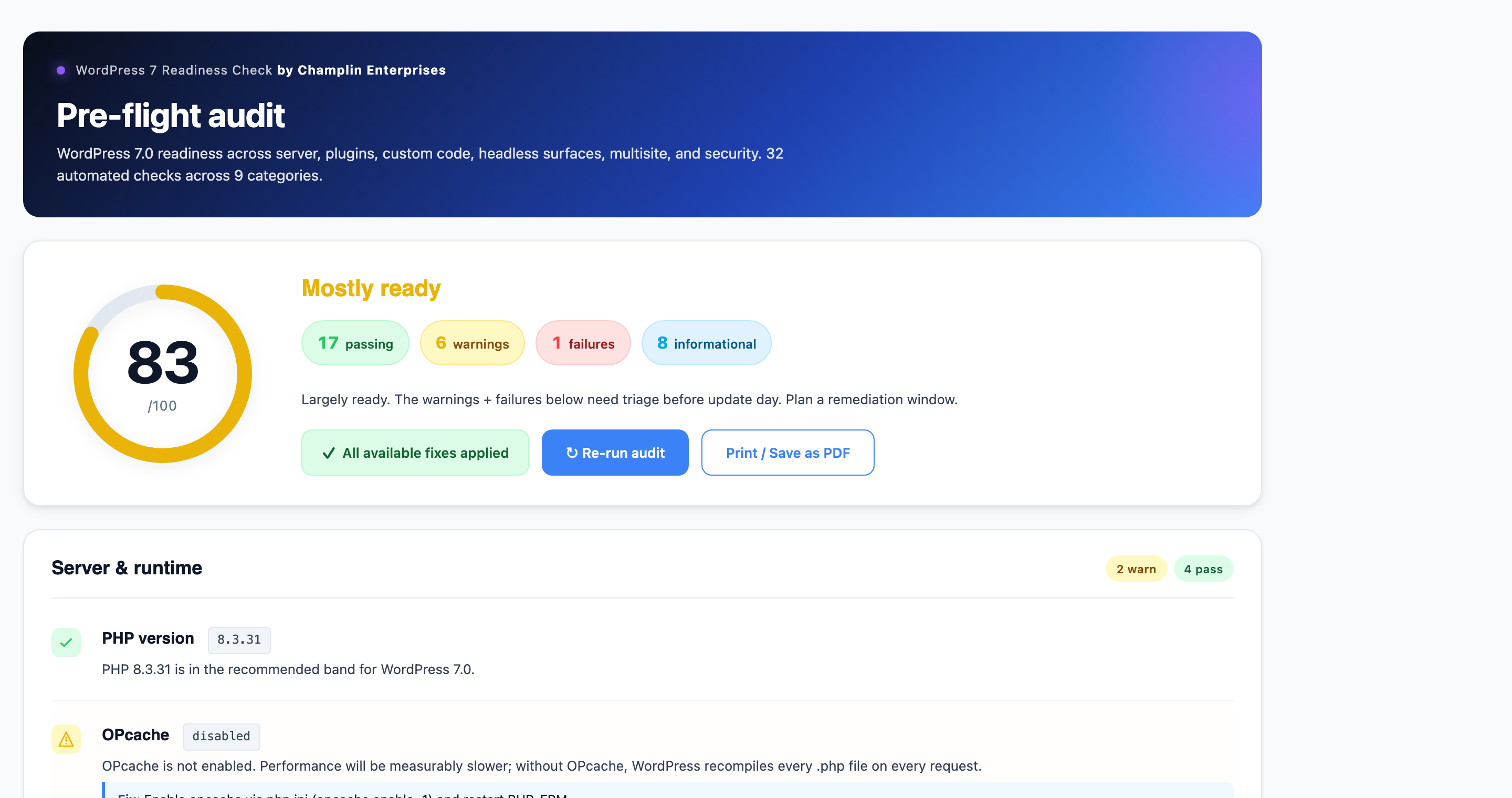
The dashboard — visual readiness score, summary pills, action buttons.
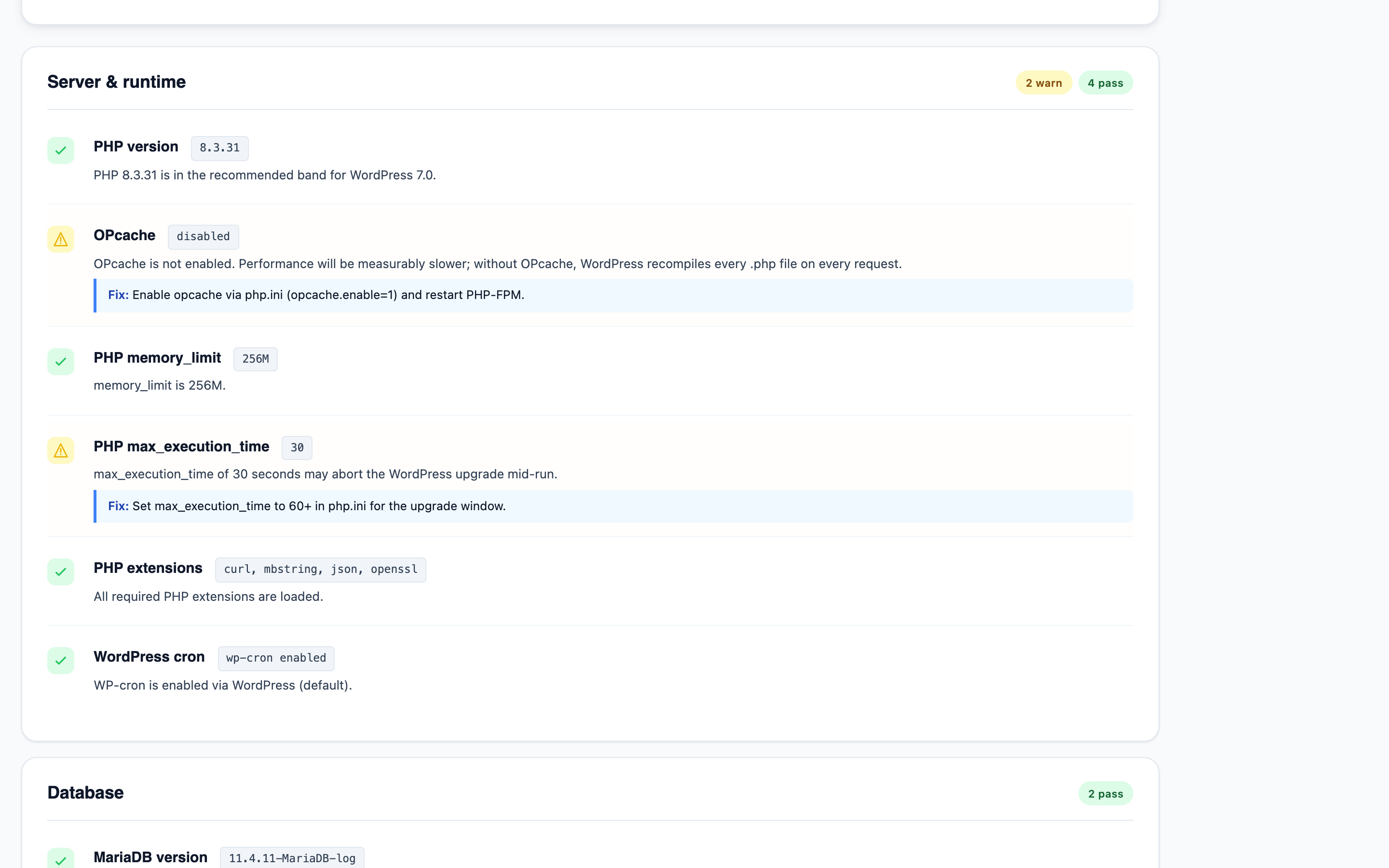
Color-coded findings with remediation hints — pass, warning, fail, info icons across 9 categories.
Free · Open Source · Built by Champlin Enterprises
A free WordPress plugin that runs 30+ pre-flight (and post-flight) compatibility checks for the WordPress 7.0 upgrade — server, plugins, custom code, headless surfaces, multisite, security — with a visual readiness score, color-coded findings, four one-click autofixes, and an automatic plugin-directory snapshot safety net before any update.
The dashboard — visual readiness score, summary pills, action buttons.
Color-coded findings with remediation hints — pass, warning, fail, info icons across 9 categories.
Every check is read-only and runs in under five seconds. Color-coded findings (pass / warn / fail / info), with a remediation hint for every actionable issue.
PHP version (7.4 min, 8.3+ recommended), OPcache, memory_limit, max_execution_time, required PHP extensions, WP-Cron status.
MySQL or MariaDB version against the WordPress 7.0 recommendations, InnoDB engine availability.
Version, WP_DEBUG state, major auto-update setting, HTTPS site URL.
Inventory of active and inactive plugins, pending updates, per-plugin "Tested up to" compatibility headers, known-risky page-builder slugs flagged for DataViews compatibility review.
Active theme version, compatibility header, block vs classic theme, deprecated HTML5 script theme support.
Static scan of theme + custom plugins + mu-plugins for WordPress 7.0 breaking patterns: WP_List_Table, manage_posts_columns, classic add_meta_box, Block API v2, Interactivity API effect(), deprecated theme support, DataViews groupByField.
WPGraphQL detection, REST API base, custom REST route inventory. Critical for headless WordPress front ends.
Network mode, site count, super admin count, WordPress 7.0 spam-flag behavior change.
DISALLOW_FILE_EDIT state, administrator count, two-factor authentication plugin detection, backup plugin detection, AI Connectors policy reminder.
Each autofix is gated by nonce + capability check, runs through WordPress core's own APIs where possible, and is fully reversible. We refuse to mutate your custom code or edit wp-config.php directly — config changes are made via mu-plugin files so they can be undone by deleting one file.
Sets WordPress to only auto-update for maintenance and security releases. Major-version updates (like 6.9 → 7.0) require manual approval. Single update_site_option flip; reversible from Dashboard → Updates.
Drops a 5-line mu-plugin defining DISALLOW_FILE_EDIT. Removes the Theme File Editor and Plugin File Editor from wp-admin. Reversible by deleting the mu-plugin file. No wp-config.php modification.
Uses WordPress core's own Plugin_Upgrader::bulk_upgrade(). Each plugin directory is automatically snapshotted before the update. If anything fails the snapshot restore is one click.
Installs the official two-factor plugin from WordPress.org via core's Plugin_Upgrader::install(). Idempotent — won't re-install if any well-known 2FA plugin is already active.
Before any plugin update runs, the existing plugin directory is copied to wp-content/wp7rc-snapshots/ with deny-all .htaccess / web.config / index.php guards. If a new plugin version breaks your site, restore the previous version with one click from the dashboard.
Install Now, then Activate.Yes. On pre-7.0 sites the plugin operates as a pre-flight audit. On post-7.0 sites it operates as a post-flight verification, checking that the upgrade landed cleanly.
No. The audit itself is strictly read-only. The four autofixes only run on explicit click and are each idempotent and reversible. Plugin updates trigger automatic plugin-directory snapshots before any change is made.
Typically under five seconds on most sites. The custom-code static scan is capped at 1,500 files to ensure even very large sites complete quickly.
Yes. GPL-2.0 licensed, no license keys, no account signup, no telemetry. Source code is on GitHub.
WordPress 6.0 or higher and PHP 7.4 or higher. The plugin is tested against WordPress 6.9.x and WordPress 7.0.
No. The plugin automates the 30+ items that can be verified by code. The remaining 50 are human-judgment items — has the rollback been tested? has the AI Connectors policy been signed off? has the on-call rota been confirmed? — that no plugin can verify. The dashboard links to the printable checklist for the full audit.
At wp-content/wp7rc-snapshots/ with deny-all .htaccess, web.config, and index.php guards (one for each major web-server flavor — Apache, IIS, nginx fallback). Auto-prunes to the last 10 snapshots.
Never. All wp-config-style settings are applied via mu-plugin files dropped into wp-content/mu-plugins/. This is safer than editing wp-config.php (no risk of breaking the bootstrap) and fully reversible (delete the mu-plugin to undo).
Free, GPL-2.0, no signup. Download the plugin and run your first audit in under 60 seconds.
Need an engineer to run the full audit + remediation + rollout for you? Apply for a Champlin Enterprises engagement →